

What’s New in KB5064081?
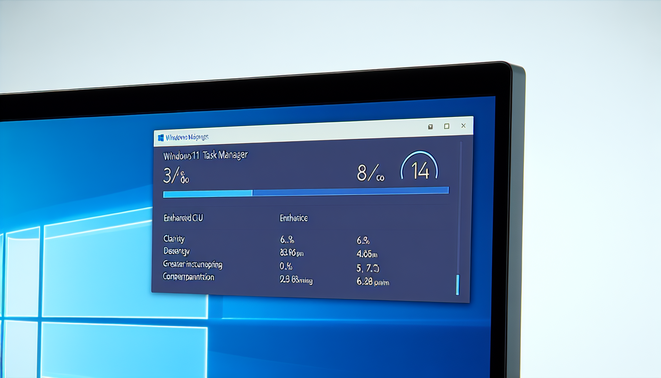
Windows 11 users recently received the KB5064081 update, which is a crucial enhancement aimed at refining CPU usage metrics within the Task Manager. This update addresses various performance issues and improves the accuracy of CPU utilization data presented to users. The significance of this patch is highlighted by its intent to provide a clearer perspective on resource allocation, which is essential for diagnosing performance bottlenecks.
One notable change includes adjustments in how Task Manager displays CPU usage. Users may observe more consistent numbers, particularly when dealing with background processes, allowing for better resource management and system diagnostics. According to Microsoft, these alterations help in delivering a more precise view of running applications and their impact on overall system performance [Source: Microsoft].
Impact on Task Manager Performance
The KB5064081 update introduces several enhancements that significantly improve Task Manager performance, leading to a more efficient user experience in Windows operating systems. One of the most notable improvements is the reduction in CPU and memory consumption when Task Manager is in use. According to Microsoft, this update optimizes the way Task Manager interacts with system resources, ensuring that users can monitor applications and processes without experiencing lag or sluggishness.
Users have reported smoother navigation and quicker response times when switching between different tabs in Task Manager, such as Processes, Performance, and App History. This is particularly beneficial for users who rely on Task Manager for troubleshooting and system monitoring tasks, as it allows for more effective management of applications and services running on their machines. Moreover, the update addresses several bugs that previously hindered Task Manager performance. For instance, users experienced issues with inaccurate CPU usage displayed for certain applications; these discrepancies have been resolved, leading to a more reliable overview of resource allocation across the system [Source: Windows Optimization Techniques].
User Feedback and Reactions
User experiences with the KB5064081 update highlight a mix of reactions, reflecting both satisfaction and some notable concerns. Many users have reported improved system stability and performance following the installation of this update. Feedback from platforms like Microsoft’s Community forums indicates that several users appreciate the enhancements related to security features, which have fostered a sense of improved safety while using Windows systems.
However, some common concerns have emerged. A segment of users experienced issues with application compatibility, with reports indicating that certain software programs failed to launch or operated sluggishly. For instance, discussions on platforms such as Reddit have pointed out specific instances involving popular applications like Microsoft Office and third-party software that users had to troubleshoot post-update.
Another theme noted is related to the update process itself; some users expressed frustration over prolonged installation times and recurring prompts for additional restarts. These issues underscore the critical nature of user feedback in shaping the update experience, leading to calls for more streamlined processes in future releases [Source: The Register]. Despite these challenges, a majority of feedback underscores the importance of regular updates for maintaining system integrity and security [Source: ZDNet].
Conclusion
The KB5064081 update for Windows 11 introduced several critical enhancements and fixes that are essential for maintaining optimal system performance and security. Key improvements include enhanced system stability, performance optimizations, and patches for various security vulnerabilities that could potentially be exploited by malicious actors. Users are encouraged to install this update promptly to benefit from the latest features and security measures. Overall, the KB5064081 update underscores Microsoft’s commitment to providing a robust operating environment, ensuring that Windows 11 remains resilient against emerging threats while delivering improved functionality and user experience. Keeping systems updated is vital to safeguarding personal and professional data, making this update a priority for all Windows 11 users.
Recent Comments